Key takeaways
The scam email impersonates Bank of America and uses a deadline ("confirm your details or lose access") to rush you into clicking.
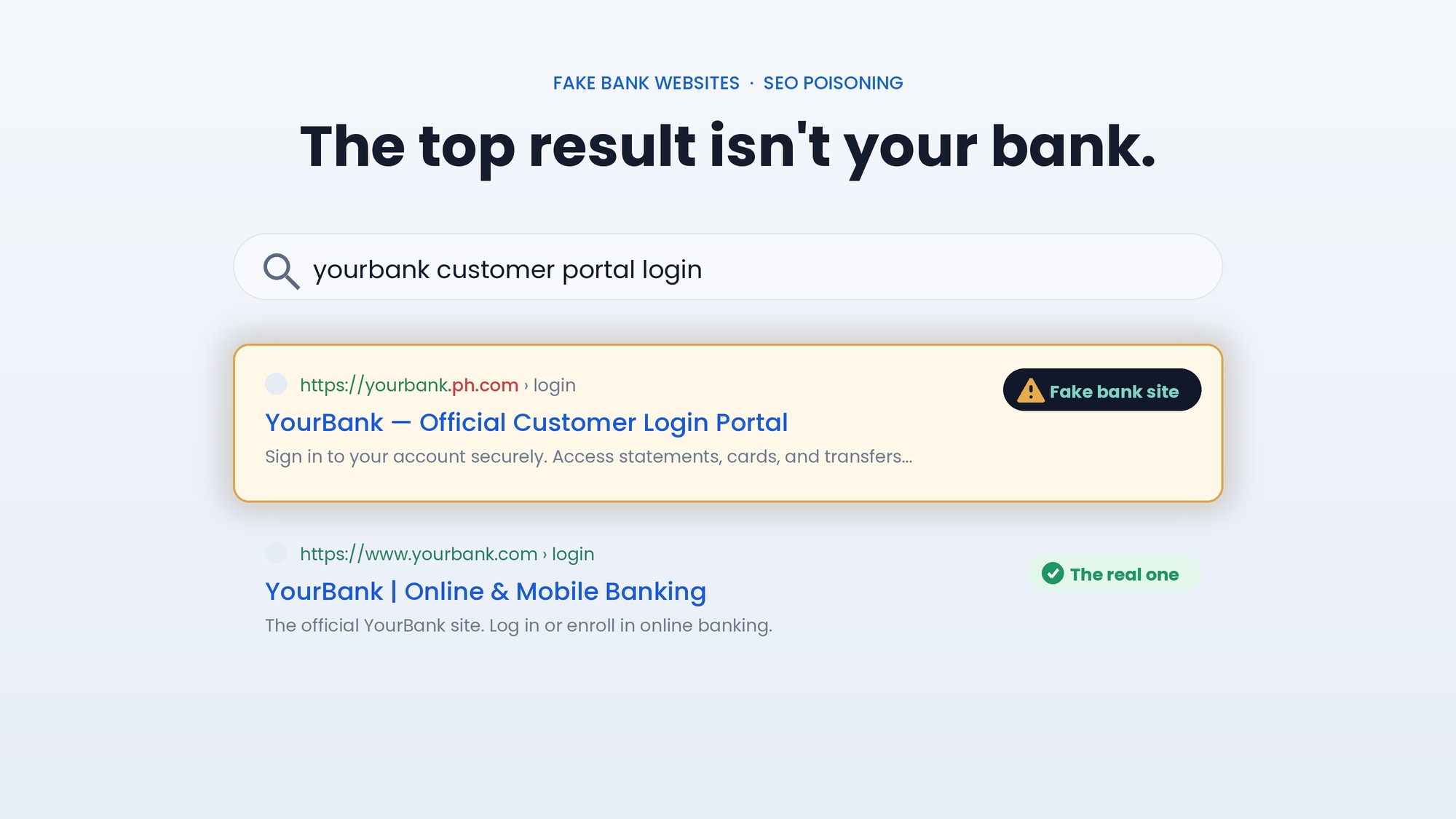
The link does not go to Bank of America. It goes to a lookalike domain, and that mismatch, visible in the address bar, is the clearest sign it is fake.
The fake site checks what device you are on. Mac and phone users get a page that steals their login plus Social Security number, ID, and card details. Windows users get tricked into installing hidden remote-control software.
The Windows payload disguises itself as "Account Guard," installs without the usual Windows permission prompt, and hides so well that even removing it is difficult.
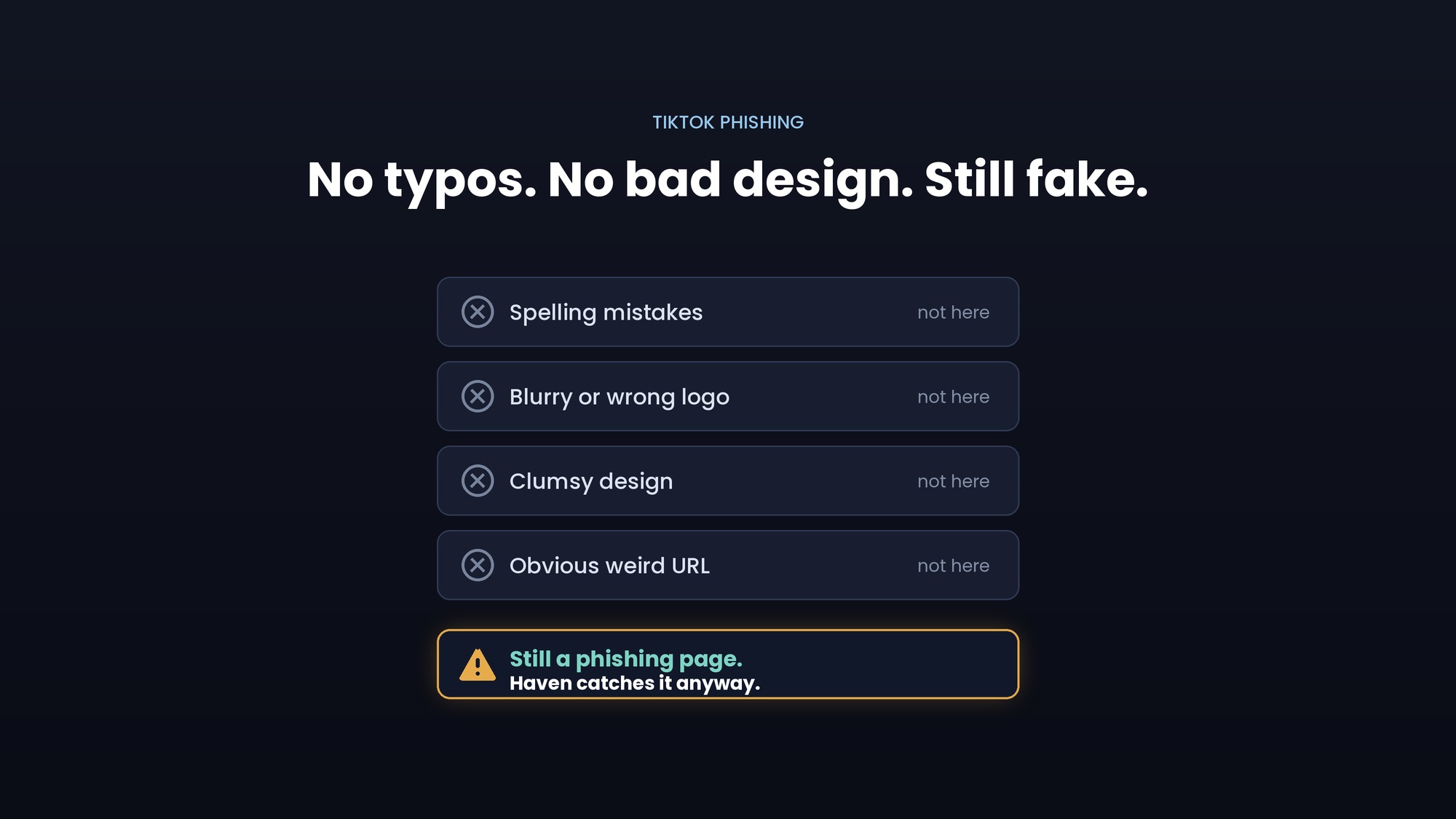
The whole chain starts on a fake page. Checking the web address before you type or download anything is what defeats it, which is exactly where Haven helps.
A fake Bank of America email lands in your inbox, and it looks real. The subject is urgent: "ACTION NEEDED: Update your profile to keep your account(s) open." It says your account information was never confirmed, and you have until a date a couple of weeks out to fix it or lose access. The logo is right. The wording sounds like a bank. There is a tidy "Visit the Security Center" link.
It is a scam, and security researchers at Huntress recently pulled this Bank of America phishing email apart to show exactly what happens next. What is unusual is that clicking the link does not lead to just one trap. Depending on the device you are using, it leads to one of two, and the version aimed at Windows computers is designed to hand a stranger silent, hard-to-remove control of your PC. Here is how the scam works, step by step, and the single detail that would have stopped it.
What the fake Bank of America email looks like
The message leans on a feeling every bank customer knows: mild panic about losing access. It claims your account information "have not been confirmed within the set period, even after several requests," and gives a hard deadline. Then it offers the fix as a single friendly link, "Visit the Security Center."
Here is the actual email that Huntress captured. Look at the bottom of it.
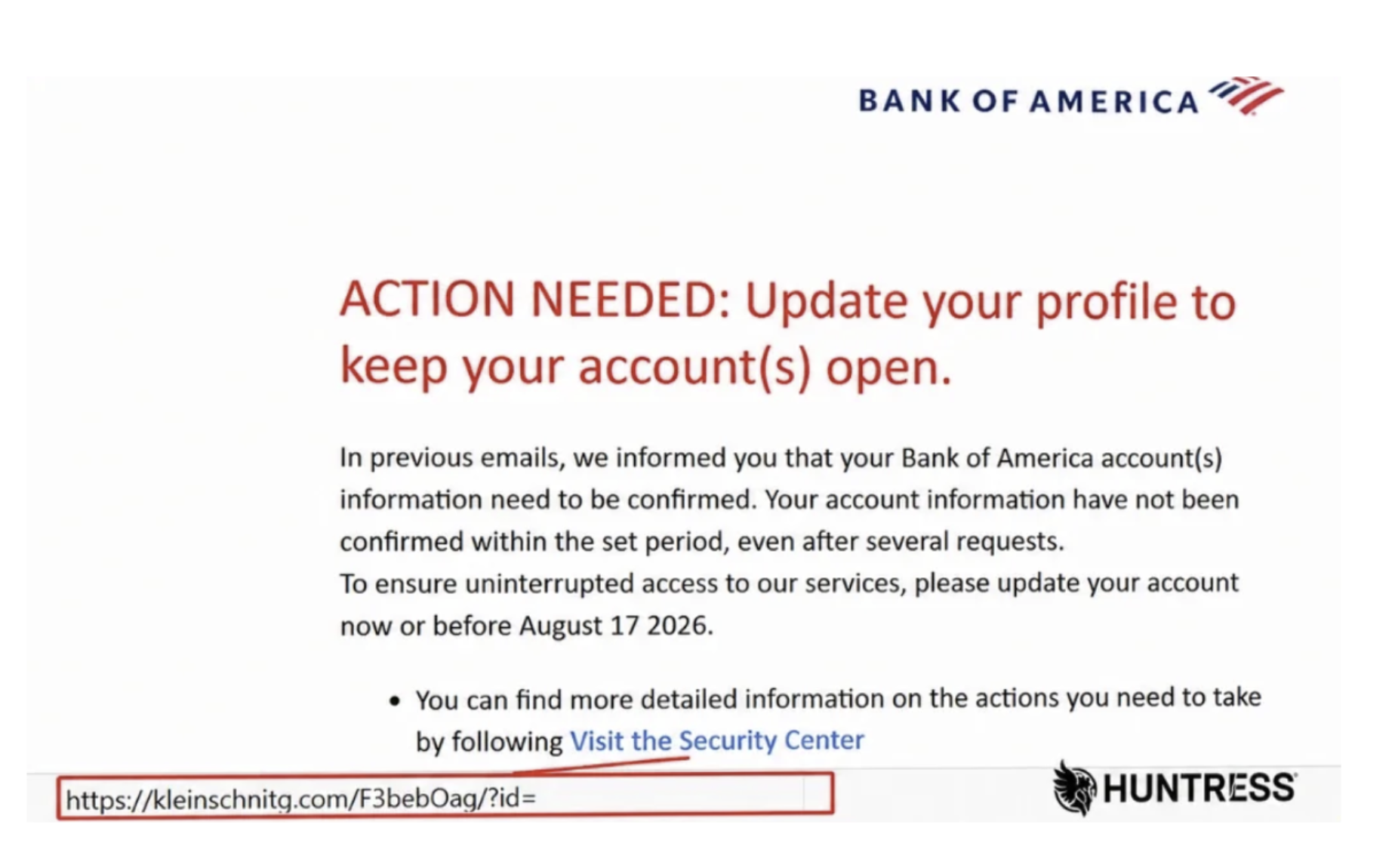
Image: Huntress
The branding up top says Bank of America. The link at the bottom says something else entirely: kleinschnitg.com. That gap between what the email claims to be and where it actually sends you is the whole scam in one line. Everything after the click is built to make sure you never look at it again.
What actually happens when you click the link
This is the part worth slowing down on, because the scam is more elaborate than a single fake page.
Step one: the redirect. The link does not take you straight anywhere obvious. It bounces you through one web address and then on to another, both controlled by the attacker, and both dressed up to look like Bank of America. Bouncing through a middle step helps the scam dodge automated security filters and makes the trail harder to follow.
Step two: the site checks what device you are on. This is the clever, nasty part. The fake page quietly detects whether you are on a Windows PC, a Mac, or a phone, and then serves a different trap accordingly. One campaign, two payloads.
If you are on a Mac or a phone, you get a straightforward but brutal credential-and-identity theft page. It shows a fake Bank of America login and asks for your username and password, then deliberately claims you got the password wrong so you type it a second time (that repetition helps the attacker confirm they captured it correctly). After that, it keeps going: it asks for your full name, mailing address, government ID details, Social Security number, and the card number from your Bank of America debit or credit card. In other words, it harvests not just your login, but nearly everything needed to impersonate you or drain your accounts.
If you are on a Windows PC, the trap is different and, in a way, worse. Instead of a login form, the page urges you to download a "powerful tool" called Account Guard, described as software that will protect your financial data. You click "Update My Information," and it downloads a zip file. That file is not protection software. It is the first link in a chain that ends with a stranger controlling your computer.
Step three (Windows): the disguised installer. Inside the zip is a small script file. Huntress found the attackers wrapped the real instructions in layer after layer of disguise, encoded content nested inside more encoded content, specifically to slow down analysis and slip past scanners. Peel away the layers and it does three things that matter to you:
It quietly downloads a 17MB installer for a legitimate remote-control program called ScreenConnect, the kind of tool IT departments use to log into your computer to help you.
It installs that program without ever showing you the usual Windows permission pop-up, the one that normally warns you when something is about to make system-level changes. The attackers reused a known trick to skip that prompt entirely, so nothing on screen tells you anything happened.
It then hides. The program is installed under the innocent-looking name "Windows Security," its files and folder are concealed, and the attackers apply settings that stop you, and even a computer administrator, from seeing it, disabling it, or uninstalling it normally.
Once that is done, your PC quietly opens a connection out to the attacker's server and waits. From that point, whoever is on the other end can watch your screen, move your mouse, read your files, and use your computer as if they were sitting at it, and you would have no obvious sign it is happening.
That is the full arc: a worried-looking email, a fake bank page, and, on Windows, an invisible back door. No dramatic warning ever appears, which is exactly the point.
How to spot a fake Bank of America email: the one tell that gives it away
For all its layers, the entire scheme depends on one thing you can check in about two seconds: the web address.
Huntress made this point directly. The email did not come from Bank of America's real domain, and the link did not point to Bank of America's real website. It pointed to kleinschnitg.com, which then handed you off to another unrelated site. A real bank communication lives on the bank's genuine domain. A fake one cannot, because the attacker does not own the real address. So the destination is always slightly, or completely, off, and that mismatch is visible in the address bar before you type a password or download a thing.
The trouble is that a lookalike page is easy to trust when the logo is perfect and a deadline is ticking. You are focused on saving your account, not squinting at a URL. Most people glance and act. That is the exact moment where a second set of eyes helps.
How Haven helps
Haven is a browser extension designed to catch fake and impersonated pages at the moment you are about to act, whether that means entering your login or downloading a file. It analyzes the actual page in front of you, not just how it looks or how you got there, so when a page imitates Bank of America on a domain that is not Bank of America's, Haven flags it as fake before you type your password, hand over your Social Security number, or download "Account Guard."
That is the right place to stop this particular scam, because the whole chain, the credential theft on one path and the hidden remote-control software on the other, begins on that fake page. Both traps sit behind the same lookalike domain. Catch the page, and neither trap ever springs. If you are unsure about a link in an email, you can also paste it into Haven's free link checker before you click.
To be clear about what Haven does and does not do: Haven works at the page. It warns you that a Bank of America page is fake before you enter anything or download anything. It is not antivirus, so it does not scan the "Account Guard" file, remove the ScreenConnect software if it is already installed, or clean up a computer that is already compromised. Its job is to stop you from reaching that point, by flagging the fake page that starts it all.
How to protect yourself from Bank of America phishing emails
A few habits stop this kind of scam cold:
Do not click links in unexpected account-warning emails. Open a new tab and type your bank's address yourself, or use the bank's official app, and check for any real alerts there.
Check the web address before you type or download anything. If it is not your bank's exact, genuine domain, close the tab.
Treat urgency as a warning sign, not a reason to hurry. "Confirm within X days or lose access" is a pressure tactic. Real banks give you safer ways to verify.
Never download "security" or "account protection" software from a link in an email. Banks do not distribute apps this way.
Never enter your Social Security number, government ID, or full card details into a page you reached from an email link. A real bank already has this information and will not collect it this way.
If you downloaded and ran the "Account Guard" file, treat the computer as compromised: disconnect it from the internet, and get help from a trusted IT professional, because this malware is specifically built to be hard to remove.
The disguise changes, but the move is always the same: borrow a trusted name, invent a deadline, and get you onto a fake page. Slow down at the address bar, and the whole thing falls apart.
About Haven
Haven is a browser extension that helps you make safer trust decisions online, before a scam can cost you anything. It works at the moment you are about to click a link or enter your password, flagging fake and impersonated login pages, suspicious links, and lookalike sites. Rather than only checking a page against a list of known-bad sites, Haven analyzes the actual page in front of you, so it can catch brand-new and convincing fakes that other tools miss.
Haven is free for individual use. For teams, Haven for Business extends this browser-level protection across every employee. Haven is operated by MirrorTab, Inc.
FAQs
Is the Bank of America "Action Needed: update your profile" email real?
No. That email is a known phishing scam, not a real Bank of America message. It uses a deadline to pressure you into clicking a link that leads to a fake Bank of America page, which then steals your login and personal details or, on a Windows PC, installs hidden remote-control software. If you get one, do not click the link. Check your account by typing Bank of America's address yourself or opening its official app.
How can I tell if a Bank of America email is a phishing scam?
The most reliable check is the web address behind the link and the sender's domain. In this scam, the email came from an address that was not Bank of America's real domain, and the link pointed to an unrelated site (kleinschnitg.com) rather than bankofamerica.com. Other warning signs include a countdown or deadline, a request to "confirm" sensitive details, awkward wording like "your account information have not been confirmed," and a link to install "security" software. When in doubt, do not click; contact the bank through the number on the back of your card.
What happens if I clicked the link in a fake Bank of America email?
It depends on your device. On a Mac or phone, you likely reached a fake login page that tries to capture your username, password, Social Security number, ID, and card details, so change your online banking password immediately, call your bank, and watch for fraud. On a Windows PC, you may have been prompted to download a file called "Account Guard," which installs hidden remote-control software; if you downloaded or ran it, disconnect the computer from the internet and get help from a trusted IT professional, because this malware is built to resist removal.
What is "Account Guard" from Bank of America?
"Account Guard" in this scam is not a real Bank of America product. It is a fake name attached to a malicious download shown only to Windows users on the phishing site. The file poses as account-protection software but actually installs a hidden copy of a remote-access tool (ScreenConnect) that lets an attacker control your computer while disguised under the name "Windows Security." Bank of America does not ask you to download protection software from an email link.
Can a phishing email really install malware without a warning?
Yes. In this campaign, the Windows payload used a known technique to skip the usual Windows permission prompt (the one that normally appears when software tries to make system-level changes), so it installed silently. It then hid its files and blocked normal removal. That is why not clicking, and not downloading, is the safest defense: once this kind of software is installed, ordinary users often cannot see or remove it on their own.
Will Bank of America ask me to confirm my SSN and card number by email?
No. A legitimate bank will not email you a link that collects your Social Security number, government ID, and full card number, because it already has your information on file. Any message asking you to "confirm" these details through an emailed link should be treated as a scam. Verify directly by logging in through the bank's official app or website, or by calling the number on the back of your card.
How does Haven help against fake bank emails and pages?
Haven is a browser extension that detects fake and impersonated pages and warns you before you enter credentials or download a file. Because it analyzes the actual page rather than trusting how it looks or how you arrived, it can flag a fake Bank of America login or download page on a lookalike domain, even when the email that sent you there looked convincing. Haven works at the page level and is free for individual use; it is not antivirus and does not remove malware that is already installed.